
PIWORK / A PORTABLE AI WORKSPACE
Create. Evolve.Take it anywhere.
Build useful apps with AI. Keep conversations, files, data, and a running environment together in a Work. Keep improving it. Take the whole thing with you.
Download PiworkWindows · Linux / One-click local launch
See how it works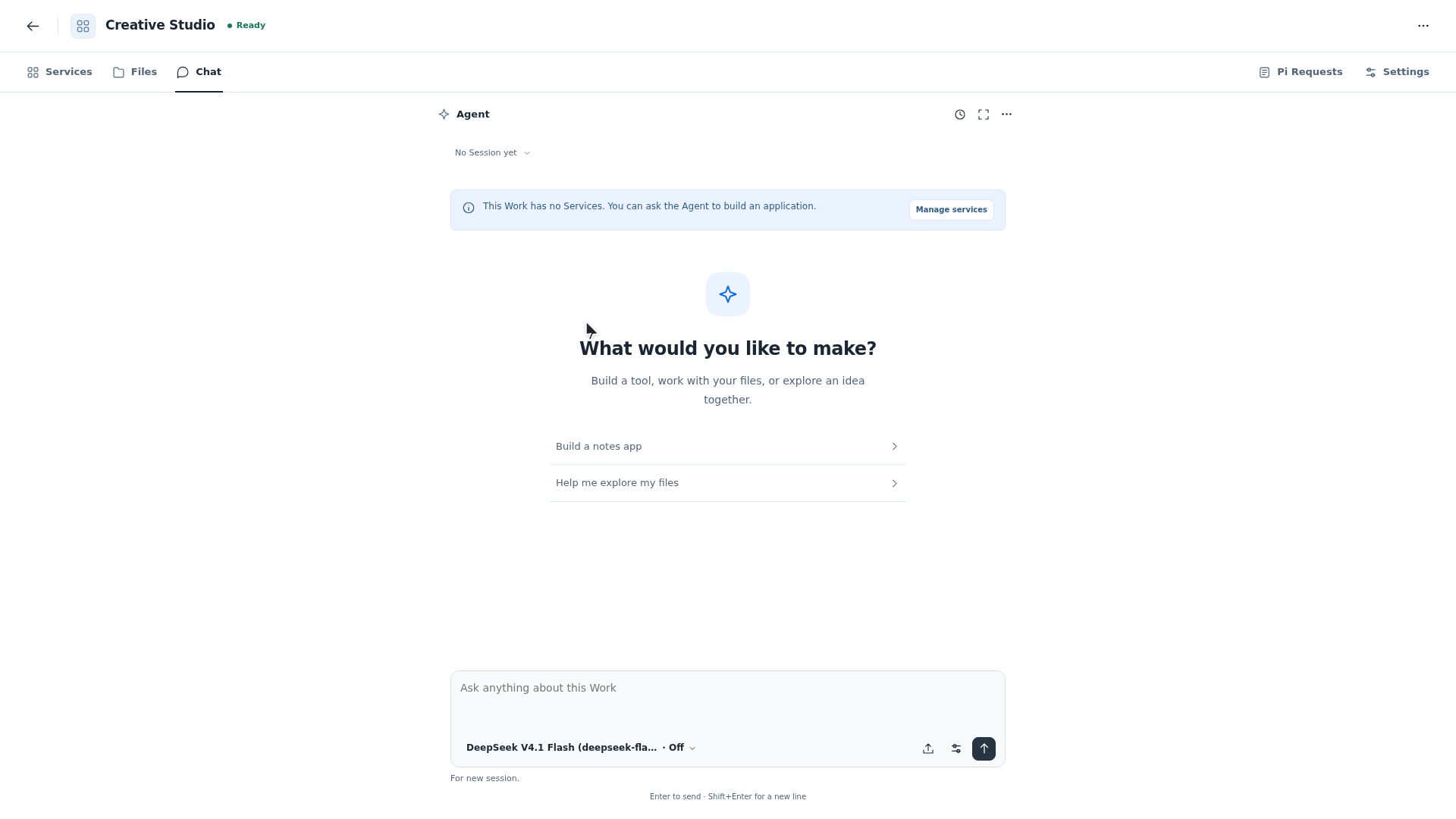
SEE IT HAPPEN / FIVE REAL DEMOS
One workspace. More possibilities.
Learning, files, music, video, and games. See five different Works turn ideas into results you can use.
THE WORK FLOW
One Work. From an idea to what’s next.
Follow one content studio as it is created, improved, and carried to another Piwork installation.
01Create
Build a content studio. Start in Chat.
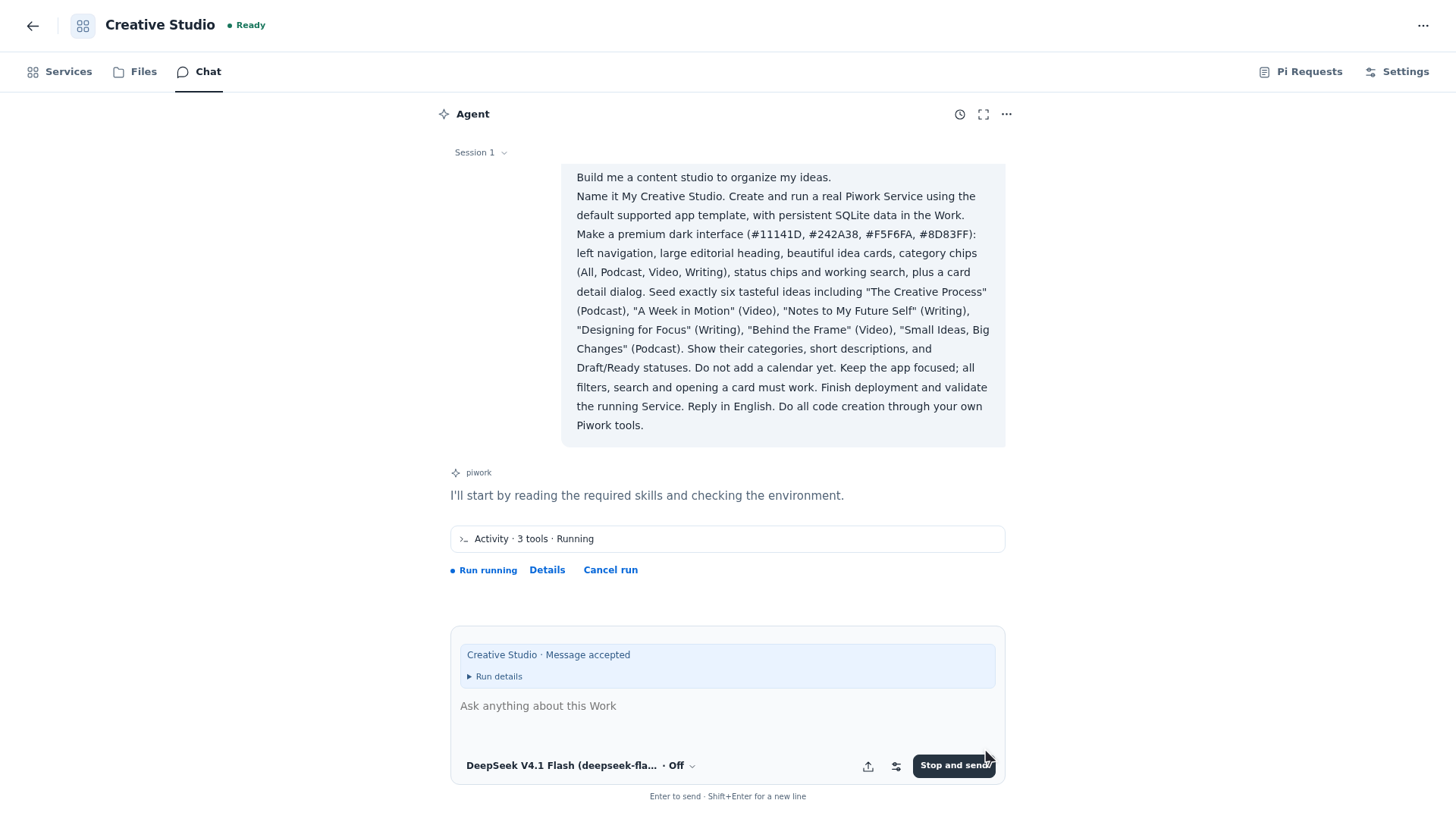
Start with an empty Work and ask Chat to build My Creative Studio, with six sample ideas, categories, search, and detail views. After the request is accepted, the Agent starts using tools. Follow its progress in Chat.
Build me a content studio to organize my ideas.
02Evolve
Keep the conversation. Add a publishing calendar.
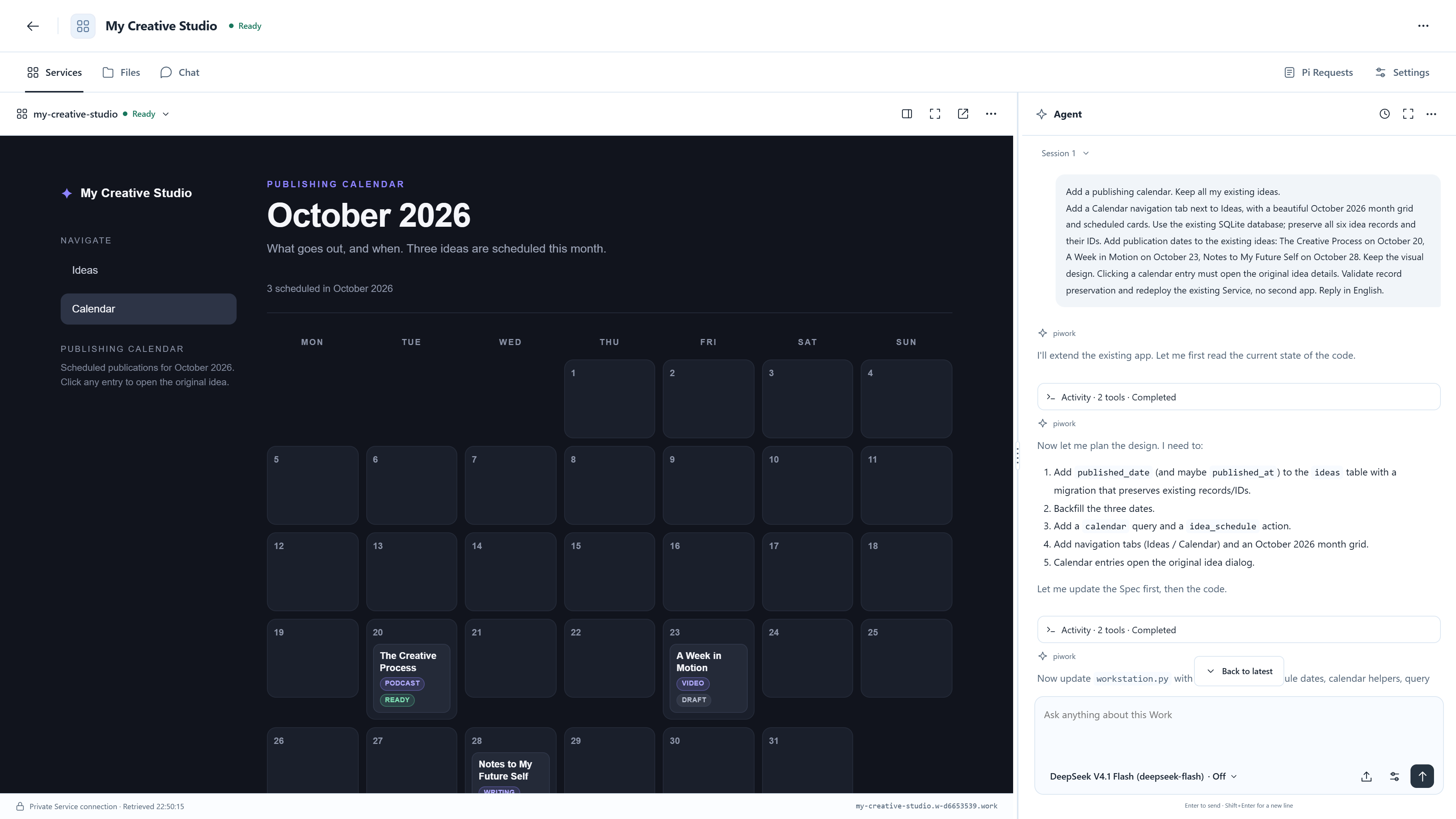
Continue in the same Work: add a publishing calendar and keep the existing ideas. The app gains an October 2026 calendar, with The Creative Process on the 20th and publication dates for two other original ideas.
Add a publishing calendar. Keep all my existing ideas.
03Take it with you
After the move, open the original idea.
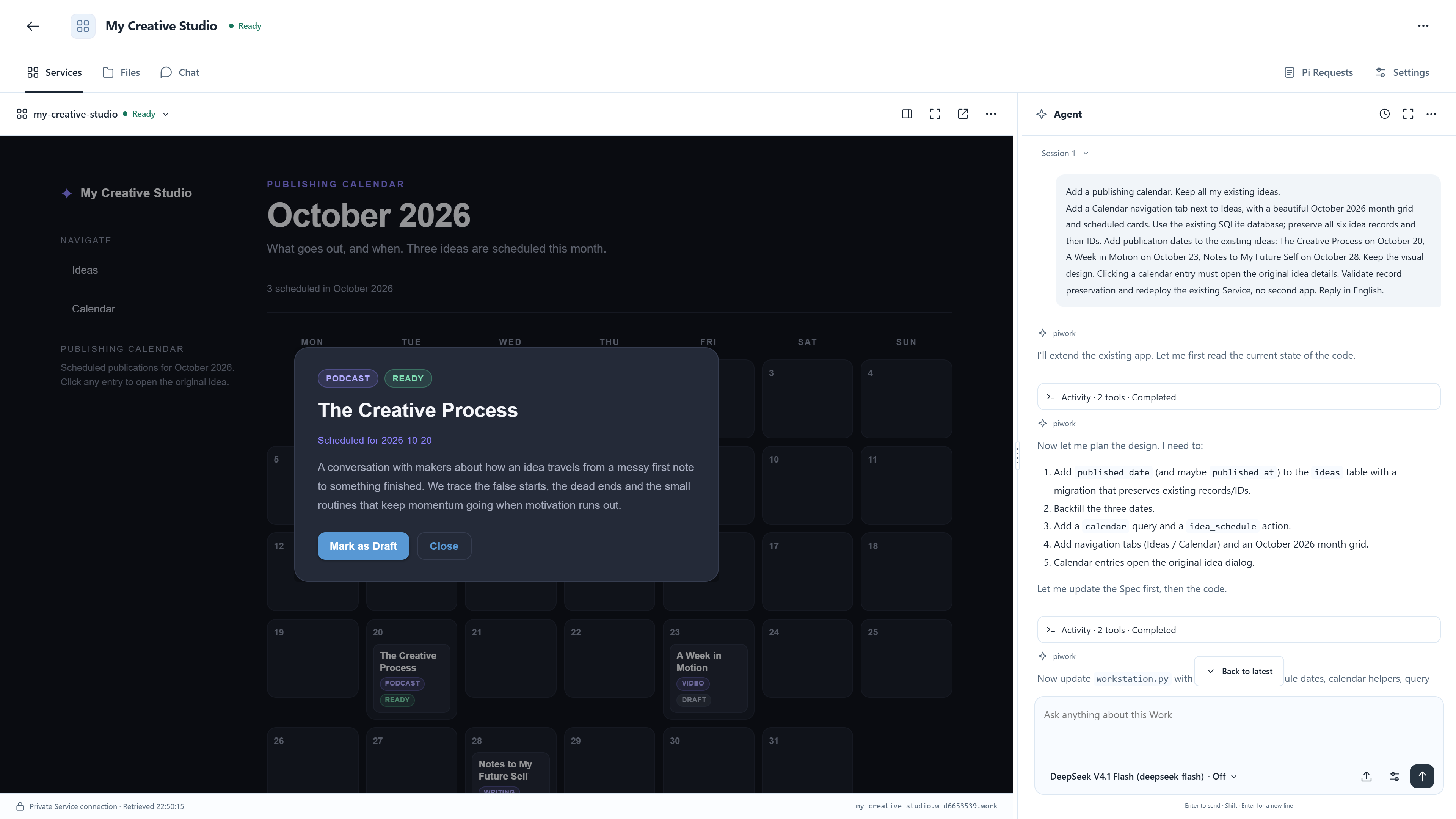
Stop the Work, export its .work file, import it into another Piwork installation, and explicitly start it. Open The Creative Process from the calendar: its description, October 20 publication date, and original calendar request in Chat are all still there.
- Apps & environment
- Data & files
- Conversations & settings
The recipient supplies their own model credentials. You explicitly start the imported Work.
YOUR NEXT WORK STARTS HERE.
Give your ideas room to keep growing.
Download, open, and click Start. Set up your account and AI model, then begin.